
How to Build a Mining Rig: Step-by-Step Guide
Build a mining rig yourself: all components, the right hardware choices and assembly step by step - the complete hands-on guide for beginners.
This guide provides a comprehensive overview of what a mining rig is and how to build your own GPU mining rig step by step. From the fundamentals to selecting the right hardware and completing the full assembly, you will find a detailed and practical walkthrough.
As a specialized provider of crypto mining infrastructure, we have spent years working on the design, operation, and optimization of mining systems. The content in this guide is therefore not just theoretical, but based on real-world experience from numerous mining projects. This ensures you get a reliable guide that helps you avoid common mistakes and set up your mining rig efficiently from the start.
Table of Contents
1. Mining Rig Fundamentals
1.1 What is a Mining Rig?
1.2 Advantages of Mining Rigs vs. ASIC Miners
1.3 Building a Mining Rig
1.4 Costs and Profitability
1.5 Buying a Mining Rig vs. Building One
2. Building a Mining Rig - Guide & Basics
2.1 How is a Mining Rig structured?
2.2 What hardware is required for crypto mining?
2.3 Which Mining Rig frame should you choose?
2.4 Which Mining Mainboard (incl. CPU and RAM)?
2.5 Which power supply is suitable for a Mining Rig?
2.6 Which GPUs are best for mining?
2.7 Accessories: Risers, SSD, fans and GPU splitters
3. Assembling the Mining Rig
3.1 Assembling the Mining Rig frame
3.2 Installing mainboard, CPU, CPU cooler and RAM
3.3 Mounting the power supply and connecting the power button
3.4 Installing additional case fans
3.5 Installing Hive OS on the SSD and mounting it
3.6 Power cabling for all components
3.7 Connecting GPU risers
3.8 Installing and connecting GPUs
3.9 First startup of the Mining Rig
4. Next Step: Software Setup & Start Mining
5. Frequently Asked Questions (FAQ)
1.1 What is a Mining Rig?
A mining rig is a specially configured computer that is used to mine cryptocurrencies. In contrast to classic PCs, a mining rig usually consists of several graphics cards (GPUs) that work in parallel and thus achieve significantly higher computing power.
The aim of a mining rig is to solve complex computing tasks in a cryptocurrency network and to verify transactions. In return, miners receive corresponding rewards in the form of coins. Efficiency depends largely on the hardware used, electricity costs and the correct configuration.
A major difference from conventional computers lies in their design. Mining rigs are usually not installed in classic PC cases, but mounted on open frames. This enables better air circulation, which is crucial for cooling the graphics cards during continuous operation. Thanks to the open design, several GPUs can be operated at the same time and can be expanded or replaced more easily as required. This scalability is one of the main reasons why mining rigs are built in this form.
GPU-based mining rigs are often used for mining altcoins because they can be flexibly configured. Alternatively, there are specialized devices such as ASIC miners, which are optimized for specific cryptocurrencies and generally offer higher efficiency but are less flexible.
1.2 Benefits of a Mining Rig over ASIC Miners
A mining rig offers several key advantages over ASIC miners, particularly in terms of flexibility, scalability, and risk. While ASIC miners are usually only developed for a specific algorithm or a single cryptocurrency, GPU mining rigs can be used for a variety of different coins. This allows the setup to be adapted to market changes at any time. Another advantage is the modular design. Mining rigs can be individually assembled and extended or adjusted at any time. It is possible to combine different graphics cards or replace individual components without having to replace the entire system. This makes a mining rig suitable for both beginners and advanced setups. Mining rigs also offer benefits in terms of risk. The hardware used, in particular the graphics cards, can be sold individually on the second-hand market at any time. In contrast, ASIC miners are highly specialized and lose value significantly faster when technology changes or market shifts. In addition, the initial costs for a mining rig are lower in many cases and can be scaled gradually. This allows a flexible start into crypto mining without having to make large investments directly.
.jpeg)
1.3 Build your own Mining Rig
Building a mining rig yourself offers the option of individually adapting hardware and configuration. At the same time, it requires technical understanding and careful planning. Several components are required to build a GPU mining rig. This includes several graphics cards (GPUs), a mainboard with sufficient PCIe slots, a powerful power supply, RAM and an SSD. In addition, riser cables are required to connect the GPUs, as well as a suitable frame or an open housing.
During construction, the individual components are connected together and configured in such a way that stable continuous operation is possible. Clean cabling, a stable power supply and adequate cooling of the GPUs are particularly important. After installing the hardware, the software is set up and connected to a mining pool. In addition, a wallet address is stored, which is used to pay out the generated income.
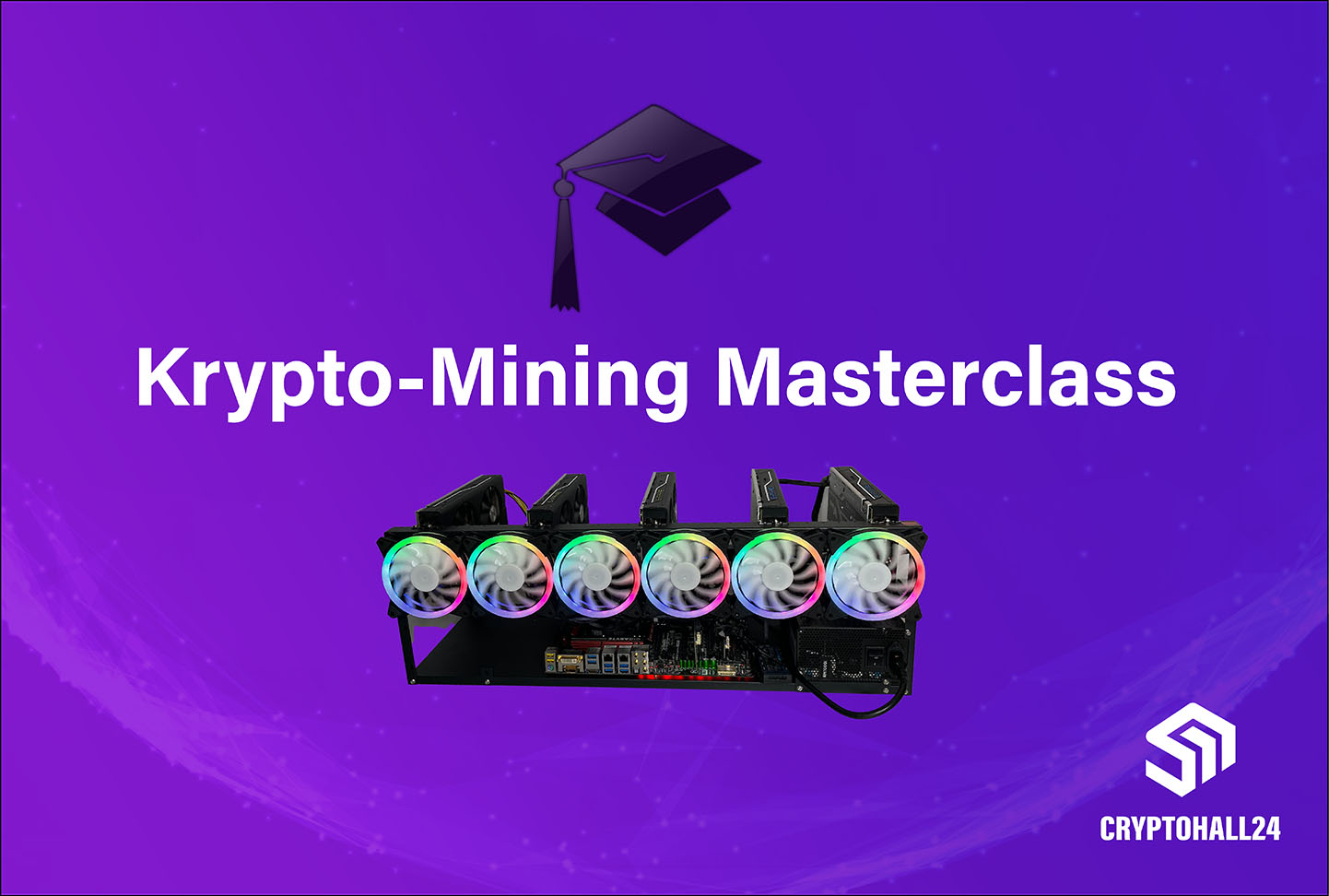
If you want to understand how to set up a mining rig step by step, you can check out our Crypto mining masterclass watch. There we show the complete construction, the furnishings and all relevant steps in detail. In our 5h video course Learn everything about:
1. Cryptocurrencies, blockchain & crypto mining (Proof of Work)
2nd requisitions & specs of hardware (GPUs,...)
3rd installation, furnishings and controller of Hive OS
4th mining pools, Wallets & Cash Outs
5. Security & additional information on current mining topics
1.4 Costs and Profitability
The profitability of a mining rig depends on several factors. These include the purchase costs of the hardware, running electricity costs and the efficiency of the GPUs used. Electricity costs in particular play a decisive role. Even small differences in electricity prices can have a major impact on profitability in the long term. In addition, market conditions and the development of the respective cryptocurrency influence actual earnings.
1.5 Buy a Mining Rig instead of building it yourself?
Buying a mining rig is generally possible and often the first option many beginners consider. There are numerous providers online offering pre-built GPU mining rigs or complete mining systems that are advertised as ready to use out of the box. At first glance, this seems like the easiest solution, as it requires no technical knowledge for setup. In practice, however, pre-built mining rigs are often not optimal. The main reason is the high level of individualization required for an efficient mining setup. Factors such as budget, electricity costs, available infrastructure, overall objectives, and GPU selection play a critical role. Standardized, ready-made systems usually cannot account for these variables, making them inefficient or unsuitable in the long term.
Another important aspect is the transparency of the components used. When buying a mining rig, it is often unclear which exact parts are installed, how the wiring has been implemented, and whether the system is truly optimized for continuous 24/7 operation. In mining environments, where hardware runs under constant load, a reliable power supply, proper cooling design, and high-quality components are essential. It is also important to understand the broader context: GPU mining rigs used to be a core part of our business. During the peak years of GPU mining, we designed and built hundreds of systems. However, with changes in the market - particularly rising energy costs, evolving mining mechanics, and the increasing professionalization of mining infrastructure - the focus has shifted significantly.
Today, the emphasis is less on individual mining rigs and more on scalable, structured solutions. In many cases, standalone GPU rigs are no longer as efficient or economically viable as they once were, especially compared to professionally designed setups or alternative mining approaches. For this reason, we have deliberately moved away from selling individual GPU mining rigs. Instead, our focus is on customized solutions and larger-scale projects, often involving ASIC hardware, where structure, efficiency, and scalability are the primary considerations. For most beginners, building a mining rig yourself is therefore the better approach. It allows full control over hardware selection and setup, and provides the flexibility to adjust or expand the system over time. This results in a more tailored and sustainable solution. For larger mining projects, such as setups with a high number of GPUs or more complex infrastructures, we still provide support in planning and implementation. In these cases, the focus is not on individual rigs, but on holistic and scalable solutions.
In summary, buying a mining rig may seem like a convenient option, but it is rarely the best long-term solution. Building your own rig or developing a customized infrastructure typically offers greater control, flexibility, and long-term reliability.
2. Build your own Mining Rig - Instructions & Basics
If you want to build your own mining rig, careful planning and understanding of the basic components is crucial. In this guide, we'll show you step by step how a GPU mining rig is set up, which hardware is required and what you should pay attention to when setting up and operating it. In doing so, we cover both the technical basics and the practical implementation so that you can operate your own mining setup efficiently and stably.
By the way: as a specialized provider of crypto mining infrastructure, we have been working intensively on setting up, operating and optimizing mining rigs since 2020. During this time, we have planned, built and maintained numerous mining systems — from individual GPU rigs to larger mining setups. The content in this guide is not only based on theory, but also on practical experience from real mining projects. As a result, we know exactly what is really important when setting up, selecting hardware and during operation.
2.1 How is a Mining Rig constructed?
The basic design of a mining rig is similar to a classic home PC, but is specifically designed to operate with multiple graphics cards. Since these would not fit into a conventional PC case and require efficient cooling at the same time, mining rigs are usually built on so-called open-air frames. These open frames provide sufficient space between the components and enable better air circulation, which is particularly important in continuous operation, as mining continuously generates heat and a large part of the electrical energy used is converted into heat.
The central element of a mining rig is the mainboard, which connects all components together. In addition to CPU and RAM, this includes graphics cards and storage media in particular. Depending on the setup, one or more power supplies are used for the power supply, which must provide sufficient power to operate all components safely and stably. In addition, additional fans are usually installed to improve cooling and increase the lifespan of the hardware.
2.2 What Hardware is required for Crypto Mining?
Now let's move on to the components needed for a mining rig. Basically, the hardware is similar to a classic home PC, but the requirements for the individual components differ in a few important points. In the following, we'll show you which hardware you need for a mining rig, what you should pay attention to when choosing and which components are particularly suitable for your mining project. A decisive factor in mining is profitability. The aim is to recoup investment costs as quickly as possible and then generate profits. Accordingly, the purchase price of hardware plays a central role. The cheaper you buy a component, the faster you get the return on investment. At the same time, however, you shouldn't just pay attention to the price, as inferior or unsuitable hardware can quickly lead to problems, such as defects, incompatibilities or, in the worst case, security risks. It is therefore important to define exactly what performance requirements your mining rig should meet and select the hardware accordingly. A careful price comparison is definitely worthwhile, for example via platforms such as idealo.de. Used hardware can also be a useful option, especially when it comes to CPU or RAM. With graphics cards, however, you should pay particular attention to the condition of the components and whether they have already been used in mining operations. You can quickly find suitable offers and current prices for many components on the Internet. However, we recommend that you obtain sufficient information before you buy and select the individual components specifically.
2.3 Which Mining Rig Frame for Crypto Mining?
When it comes to the frame for your mining rig, there are basically two options: the classic open-air frame or a closed server case. An open-air frame is the best choice in most cases, especially for beginners or smaller setups. These frames are usually made of steel, are sturdy, relatively inexpensive and offer enough space for all components. The open design means that the graphics cards have enough distance from each other so that they can be cooled better. In combination with additional fans, this makes it possible to achieve very efficient air circulation. The frames are usually designed for a specific number of graphics cards and have appropriate attachment points. Common variants include frames for 6, 8, 10, or up to 12 GPUs. If you're planning to expand your setup later, it may make sense to choose a larger frame right away.
.jpeg)
It is important not to use improvised structures, especially wooden frames. Mining involves high temperatures and high electrical power, which is why unsuitable materials can pose a significant safety risk. Solid open-air frames are usually available on platforms such as eBay or Amazon for as little as €20 to €60. More expensive variants are often unnecessary as long as no more complex setups such as stacked rigs are planned. Alternatively, a mining rig can be built into a server case. These are more compact, protect the hardware better from dust and are easier to stack. However, they are significantly more expensive and have higher cooling requirements as waste heat builds up in the housing. The fans required for this are often very powerful and correspondingly loud, which is why this solution is less suitable for use in private environments.
.avif)
Our recommendation is to start with a setup of 6 to 8 graphics cards and use a suitable open-air frame for this purpose. This offers enough space, is easy to set up and allows a good start. Larger setups increase complexity, particularly in the area of power supply and cabling.
2.4 Which Mining Mainboard (including CPU and RAM)?
The mining mainboard is the central element of the entire system. In principle, many traditional mainboards can be used as long as they have enough PCIe slots to connect multiple graphics cards. For a setup with, for example, 6 GPUs, there should be at least 6 PCIe ports. It is also possible to expand the number of ports with PCIe risers or splitters. However, it is recommended to directly choose a mainboard that is designed for mining.
.avif)
Special crypto mining mainboards offer the advantage that they are already optimized for operation with multiple GPUs and often have preconfigured BIOS settings. This makes it easier to set up and improves the compatibility of the components. The processor plays a minor role in mining and does not have to have high performance. Low power consumption and compatibility with the mainboard are particularly important, especially with regard to the socket. A simple standard fan is sufficient for the CPU, as the processor is only minimally loaded during mining and produces correspondingly little heat. The RAM requirements are also low. A simple 4GB bar is usually sufficient. Just pay attention to the appropriate RAM type for your mainboard, such as DDR3 or DDR4.
.avif)
Our recommendation is to use specially developed mining mainboards. These are often available as a bundle, such as with a CPU and RAM, and provide a simple and reliable basis for your mining rig.
2.5 Which Power sSupply for a Mining Rig?
In addition to graphics cards, the power supply is the most important component of your mining rig. It must provide sufficient power to supply all components safely and reliably in continuous operation. Basically, a distinction is made between classic ATX power supplies and server power supplies. For beginners, a high-quality ATX power supply is usually recommended. A central rule when operating power supplies is the so-called 80% rule. This states that a power supply should only be used to around 80% of its maximum power during continuous operation. This not only increases the life of the power supply, but also improves efficiency and reduces the risk of overloads. For example, if your system requires 800 watts, a power supply of at least 1000 watts should be used.
.avif)
Also make sure that your power supply has enough ports for all components, especially for powering the graphics cards. Depending on the model, GPUs require a different number of PCIe ports, sometimes up to three per card. Another important point is the load on the cables. It is important to ensure that no more current flows through the cables than they are designed to flow through.
.avif)
Our clear recommendation is not to save money on the power supply. High-quality, modular power supplies offer greater safety and reliability. Models from manufacturers such as Corsair have proven themselves in practice and often offer long warranty periods.
2.6 Which Graphics Cards are best for Crypto Mining?
The graphics cards decisively determine the performance of your mining rig and thus also the potential income and power consumption. The efficiency of the cards, i.e. the ratio between computing power (megahash per second) and power consumption, is particularly decisive here. Since electricity costs are the most important ongoing cost factor in mining, efficiency has a direct impact on profitability. A good overview of the performance data of various graphics cards can be found at Minerstat.
.avif)
Particularly efficient models include AMD RX 6600, RX 6600 XT or NVIDIA RTX 3070 (valid for 2022/2023). Used graphics cards can also be an interesting option to save costs. However, it is important to pay attention to the condition of the cards.
2.7 Accessories: Riser, SSD, Fan and GPU Splitter
In addition to the main components, there are other accessories that are necessary to operate a mining rig. GPU risers are used to connect the graphics cards to the mainboard's PCIe slots, as the cards cannot be plugged right next to each other due to lack of space. Although there are also mining mainboards where the GPUs are plugged in directly, these often cause problems and require significantly more cooling. Proven riser versions include 009S and 010S.
.avif)
IMPORTANT: Never use SATA cables to power the risers. These are not designed for the required output and can overheat, which poses a significant fire risk. Graphics cards can draw up to 75 watts over the connection, while SATA cables are only rated for around 50 watts.
An SSD is recommended as a storage medium, as it is significantly more stable and reliable than a USB stick in continuous operation. Alternatively, a classic hard drive can be used, but it is larger and less efficient.
.avif)
Additional fans provide better cooling and increase system stability. Standard case fans are completely sufficient for this and can be purchased cost-effectively.
.avif)
GPU splitter cables make it possible to provide additional ports for graphics cards by dividing one port into several. However, it is important to ensure that the total load remains within the specifications and that the power supply is not overloaded.
3. Assemble the Mining Rig
3.1 Assembling the Mining Rig Frame
Now let's move on to the first component, the mining rig frame. Most frames are very simple to set up and are usually quick to assemble. Almost all models also come with instructions, which is why not much can go wrong here. It is particularly important that you tighten all screws cleanly and firmly so that the frame is stable later and the hardware can be securely assembled.
.avif)
As soon as the frame is assembled, the next step is to insert the small golden screws, i.e. the mainboard holders, correctly. Since there are different mainboard formats, it is best to briefly place the mainboard on the frame and check which threads are actually needed for your board.
.avif)
3.2 Assembly of Mainboard, CPU, CPU Cooler, and RAM
Next up is the mainboard. First, the processor is inserted into the socket mount. To do this, you have to open the mount on the mainboard by pulling the metal bracket sideways and folding the cover up. When inserting the CPU, you should work very carefully so that none of the fine socket pins are damaged and that the processor fits correctly. The holder is then closed again.
.avif)
After that, apply some thermal paste to the processor. A small, pea-sized blob is completely sufficient so that the resulting heat can be cleanly transferred to the heat sink. Since the processor is usually only slightly utilized during mining and produces correspondingly little heat, a normal standard CPU cooler is sufficient here.
.avif)
Next, the CPU fan is connected. The plug must always be set to the port with the name “CPU_FAN”. You can then attach the CPU cooler to the mainboard. Make sure that all brackets fit correctly. With AMD boards, the cooler is usually jammed sideways; in Intel systems, it is usually attached directly via plug-in brackets.
.avif)
Then insert the RAM latch. It is important that the RAM locks correctly and is in the correct slot. For some boards, it is relevant which slot must be occupied first. If in doubt, it's worth taking a look at the mainboard instructions.
.avif)
Finally, the mainboard can be screwed onto the mainboard holders. Do not tighten the screws too much so that the board is not damaged. Also make sure that there are no screws or other small parts on or under the mainboard, as this may cause boot problems later on.
.avif)
3.3 Mount the Power Supply and install the Power Button
Now let's move on to the power supply. Assembly is usually very easy. The power supply is positioned on the frame brackets provided for this purpose and then screwed in place. After that, the power button must be connected to the mainboard. On every mainboard, there is a small 2-pin plug connection, which is usually marked with “PWR_SW”. If this is not immediately apparent, the mainboard instructions will help. Once the plug is in place correctly, the on/off switch can be attached anywhere on the rig.
.avif)
3.4 Install additional Case Fans
Next up are the additional case fans on the frame. These are secured with the included screws. In principle, the fans can be mounted in both directions, i.e. either with airflow onto the graphics cards or with airflow away from the cards. In practice, it usually makes more sense to pull the warm air away from the GPUs so that the heat doesn't build up.
.avif)
After mechanical assembly, the fan cables are connected to the plug box or the respective power supply. Here, it is recommended to ensure clean cable management right from the start. Bring the cables together neatly with cable ties so that later work on the rig remains easier and the overall wiring looks clean.
.avif)
This is what proper cabling of the additional fans looks like when all cables have been neatly bundled and connected correctly.
3.5 Installing Hive OS on the SSD and mounting the SSD
Now it is the SSD's turn. Hive OS must first be installed on this. We will explain in detail how to install Hive OS in detail in the next section or in our separate instructions. In principle, we clearly recommend using Hive OS for mining rigs, even though mining would also be possible under Windows in principle.
.avif)
Once Hive OS is installed on the SSD, the SSD can be attached to the rig frame. Most frames have appropriate pre-drilled holes for different types of drives.
3.6 Hardware Power Cabling
Now let's move on to power cabling. Just as with fan cabling, you should take enough time to do this. Clean cable management is extremely important when building rigs and not only makes the overview easier, but also subsequent maintenance, cleaning or modifications.
First, the mainboard is supplied with power. The corresponding plug is relatively large and usually has to be pressed into the port with a little pressure. Make sure that the cable is correctly oriented. After that, power is supplied to the processor. To do this, the CPU power cable is plugged into the CPU port of the mainboard. It is important that you really use the right cable here, as CPU and PCIe cables are sometimes very similar in appearance. Older mainboards may only have a 4-pin connector. Many CPU cables can be split in half for this purpose.
.avif)
The next step is to connect the additional fans and the SSD to the power supply via a SATA power cable. Some fans use a Molex connector instead, in which case the appropriate Molex cable must be used. The SSD is then also connected to the mainboard with a SATA data cable.
3.7 Connect a GPU riser
Now it's the turn of the GPU risers. These are attached to the rig and then connected to the power supply. It is important that the riser's power supply is selected to suit the subsequent load. In some setups, a Molex connection may be sufficient, in other cases it is essential to use PCIe power. The reason is that a graphics card can draw up to 75 watts via the X16 connection or via the riser. However, a Molex connection is also only designed up to a maximum of 75 watts, while PCIe offers significantly more reserves. For power-hungry cards such as an NVIDIA RTX 3090, the risers should therefore definitely be powered by PCIe. With more economical cards, Molex may be sufficient in certain cases, provided that the total load is right. In this example, a total of 6 risers for 6 graphics cards were installed in an 8-series GPU frame. Basically, you always install exactly as many risers as you want to connect GPUs.
.avif)
The next step is to connect the GPU risers to the mainboard. Instead, the riser's USB cables together with the PCIe x1 connectors.
.avif)
The PCIe x1 connectors can be plugged into both X1 and X16 slots on the mainboard. If the mainboard does not have enough ports, an additional GPU splitter card can be used to connect additional risers and thus additional graphics cards.
3.8 Connect Graphics Cards
The graphics cards can now be connected to the risers. To do this, the GPUs are simply plugged into the riser with their X16 connection and then screwed to the frame.
.avif)
This is what the rig looks like when all graphics cards are correctly connected to the risers and screwed neatly. In this example, two more GPUs could even be added, provided that the power supply or the entire power supply is sufficiently dimensioned for this purpose.
.avif)
The next step is to supply the graphics cards with power. Depending on the model, the GPUs require a different number of PCIe ports. Some cards require just one port, others require two or even three, such as an RTX 3090. If you don't have enough cables or connections, PCIe splitter cables can be used. These turn a 6+2 pin connector into two 6+2 pin ends. However, care must be taken to ensure that the maximum power load on the cables is not exceeded.
.avif)
As soon as all graphics cards are connected and supplied with power, the cables should be neatly brought together again and laid out properly. Good cable management not only makes an overview easier, but also all subsequent work on the rig.
3.9 First Start of the Mining Rig
The physical assembly of your mining rig is now complete. The rig can now be started for the first time. All you have to do is press the power button briefly. Ideally, the rig will now start directly and you can continue setting up the software. If there are problems when starting for the first time, you should check the cabling, power supply and the correct installation of all components again.
.avif)
4. Next Step: Setting up the Mining Software
Congratulations — you've successfully built your own mining rig. All components are installed, wired and ready for use. The most important part is now done. So that your mining rig can actually mine cryptocurrencies, the next step is to set up the appropriate software. In most cases, this uses Hive OS, an operating system specifically designed for crypto mining, which allows you to easily control, monitor, and optimize your rig. In our detailed guide, we'll show you step-by-step how to install Hive OS, set up your mining rig, and start mining:
Instructions: Set up Hive OS and start mining
As soon as the software is set up, your mining rig automatically starts mining and you can monitor all relevant data such as hashrate, temperature, and yields at any time. We wish you every success with your own mining rig.
Would you like to set up mining rigs or implement a larger setup and need support with planning, hardware or structure? Write to us about our contact form. We help you set up your mining project cleanly, efficiently and scalably.
5. FAQ - Common Questions about Mining Rigs
What is a mining rig?
A mining rig is a specially designed computer that is used to mine cryptocurrencies. In contrast to classic PCs, a mining rig usually consists of several graphics cards (GPUs) that work in parallel and therefore achieve significantly higher computing power. This computing power is used to verify transactions and create new blocks in a blockchain.
How does crypto mining work with a mining rig?
When mining, the rig provides computing power to solve cryptographic tasks within a blockchain network. To do this, the rig is usually connected to a mining pool. If a block is successfully calculated, the participants in the pool receive a pro rata reward, depending on their contributed hashrate.
Which cryptocurrencies can you mine with a mining rig?
GPU mining rigs are mainly used for so-called altcoins. These include Ethereum Classic (ETC), Kaspa (KAS), Ravencoin (RVN) and other GPU-minable coins. In contrast to ASIC miners, mining rigs are flexible and can be converted to different coins depending on market conditions.
How much does a mining rig cost?
The costs depend heavily on the hardware used. A simple setup with multiple GPUs usually starts in the range of a few thousand euros. More powerful systems can be significantly more expensive. In addition to purchase costs, ongoing electricity costs must also be taken into account, which have a major impact on profitability.
How much power does a mining rig use?
Power consumption depends on the number and efficiency of graphics cards. A typical mining rig with 6 GPUs often consumes between 600 and 1200 watts. With larger setups, consumption increases accordingly. Efficient hardware and optimized settings are crucial to control electricity costs.
Is mining with a mining rig still worthwhile?
Profitability depends on several factors, in particular electricity costs, hardware efficiency, coin price, and network difficulty. Mining is often less profitable in regions with high electricity costs. Anyone who has access to cheap energy and works efficiently can continue to mine economically.
How many GPUs should a mining rig have?
A typical mining rig consists of 6 to 8 GPUs. This size provides a good balance between performance, cost, and complexity. Larger setups with more GPUs are possible, but require more experience and a suitably designed power supply.
Which graphics cards are best for mining?
The efficiency of graphics cards, i.e. the relationship between hashrate and power consumption, is decisive. Popular models included AMD RX 6600 or NVIDIA RTX 3070, but which cards are currently useful depends heavily on the market and should be checked regularly.
What is a mining mainboard?
A mining mainboard is specifically designed to operate multiple graphics cards. It has many PCIe slots and often optimized BIOS settings for mining operations. This allows multiple GPUs to be operated stably and efficiently.
Do I need a special power supply for a mining rig?
Yes, the power supply is one of the most important components. It must deliver sufficient power and be designed for continuous operation. The so-called 80% rule is important, in which the power supply is only permanently loaded to around 80% in order to ensure stability and safety.
What are GPU risers and what are they needed for?
GPU risers are used to connect graphics cards to the mainboard when they cannot be plugged in directly. They allow flexible placement of GPUs in the rig and provide better spacing and cooling.
Can you also build a mining rig without a riser?
In theory, yes, if a mining mainboard is used with directly plugged in GPUs. In practice, however, such setups often lead to cooling problems, which is why risers are the significantly better and more stable solution.
Is mining possible with a normal PC?
Basically yes, but a normal PC is usually not efficient enough for permanent mining. Mining rigs are specifically optimized to run multiple GPUs in parallel and therefore offer significantly better performance and efficiency.
How long does a mining rig last?
The lifespan depends heavily on the use, cooling and quality of the hardware. With good maintenance, mining rigs can be operated for several years. Stable temperatures and a clean power supply are particularly important.
What are typical problems with mining rigs?
The most common problems include overheating, unstable power supply, faulty components, or software failures. Good monitoring and regular maintenance help identify and avoid these problems at an early stage.
Which software is used for mining?
Hive OS is often used for GPU mining. This operating system makes mining rigs easy to control, monitor, and optimize. Alternatively, you can also work with Windows, but Hive OS is specifically optimized for mining.
What is a mining pool?
A mining pool is an association of several miners who jointly provide computing power. The rewards are then distributed proportionally. As a result, miners receive more regular income than when mining solo.
What is a hashrate?
The hashrate describes the computing power of a mining rig. It shows how many calculations are carried out per second. The higher the hashrate, the greater the likelihood of being involved in mining success.
Can I expand a mining rig?
Yes, mining rigs are modular. You can add additional graphics cards or replace components as long as the mainboard and power supply have sufficient capacity.
Is mining legal?
Mining is legal in most countries. However, it is important to consider local laws as well as tax aspects, particularly for larger setups or commercial operations.
Can I generate passive income with mining?
Mining can generate income, but it is not a guaranteed passive income. Revenues depend on market conditions, cost structure and technical implementation and can fluctuate significantly.